Skip to content

1.6.1 Release

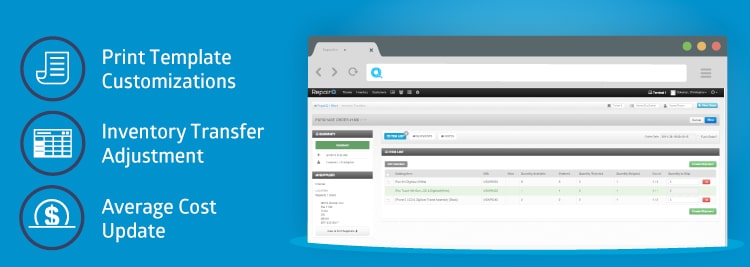
1.6.1 release notes: RepairQ 1.6.1 release is now live! Here are some of the highlights: Print Template Customizations ®“ customize what information displays on each of the following print views: ticket receipt, ticket invoice, ticket label, ticket receipt email, and inventory label. Inventory Adjustment Enhancements ®“ transfer groups of inventory items between locations using the inventory adjustment […]

1.6 Release

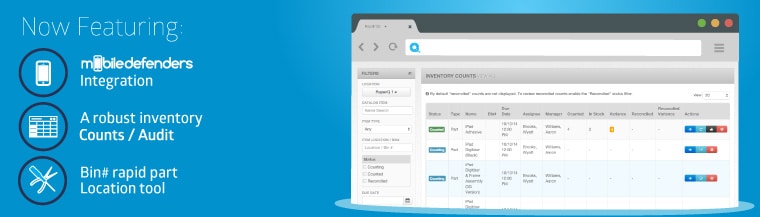
1.6 release notes: RepairQ 1.6 release is now live! Here are some of the highlights: Mobile Defenders Integration ®“ Order parts from Mobile Defenders directly within your RepairQ purchase order with a single click! Costs are automatically loaded from Mobile Defender’s database so you can price check items as you build your purchase order, and purchase prices are loaded […]

1.5.4 Release

1.5.4 release notes: RepairQ 1.5.4 release is now live! Here are some of the highlights: Inventory Transfer Module: Order items from another store/warehouse internally. You will be able to create a purchase order with another location as the “supplier,® and fulfill the purchase order with the “supplier® location’s inventory. You will be able to track multiple […]

1.5.3 Release

1.5.3 release notes: RepairQ 1.5.3 release is now live! Here are some of the highlights: New Automated Notification System: customize SMS and Email notifications for each location that are sent out based on ticket statuses and purchase order statuses. For example, send out a notification when a ticket is “Ready for pickup,® or send out […]

1.5.2 Release

1.5.2 release notes: Up Next: RepairQ 1.5.2 release is now live! Here are some of the highlights: New Tax Settings ®“ We have overhauled the way taxes are setup in RepairQ. Tax settings are no longer managed in the Item Type and Location settings. Now you will be able to setup “Tax Classes® and apply them […]

1.5.1 Release

1.5.1 release notes: RepairQ 1.5.1 release is now live! Here are some of the highlights: New Report ®“ The Summary Report: This report gives you the ability to view your numbers with a daily, monthly, or yearly basis, and compare those periods side-by-side. Accounting reports now default to “Only Closed Tickets® with the default Ticket Date […]

1.5 Release

Happy New Year! Integrated Payment Processing has arrived! 1.5 release notes: We wanted to start 2014 on the right foot, so we spent some extra time ironing out quirks and squashing bugs with this release. For those of you who have been waiting for the fixes and features promised in this release, THANK YOU for […]

1.4.3 Release

1.4.3 release notes: RepairQ 1.4.3 release is now live! Here are some of the highlights:   Supplier Specific SKUs ®“ you can now add multiple supplier skus for a catalog item New Wage Expenses report ®“ shows billable and non-billable employee hours New Print Settings ®“  change how prices show on bundled ticket items for […]

1.4.2.1 Release

1.4.2.1 release notes: Coming Soon: RepairQ 1.4.2.1 release is now live! Here are some of the highlights: Add customer import tool Add field for company name on customer record Add company name search filter on customer list Add deleted customers search filter on customer list Allow manager to un-delete previously deleted customers Add ticket date […]

1.4.2 Release

1.4.2 release notes: Coming Soon: RepairQ 1.4.2 release is now live! Here are some of the highlights: Major overhaul to the reports section: Several new filters New Revenue Report New Inventory Expense Report New Tickets Unpaid Report New Default Quantity for labor items: You can set default quantities for labor catalog items to improve your […]